In schools, community is everything! With so many states issuing stay at home orders and cancelling schools, school leaders are trying to figure out how to continue with school programming and community events remotely. Microsoft Teams Live Events may be the answer! Here are some events Teams Live Events could host for your community.
Professional Development & Conferences
Microsoft Teams Live events are a perfect solution for bringing experts to your community to deliver quality professional development sessions. Microsoft Teams live events will record each session, track attendee engagement, and produce an easy to access link for all attendees to join. During the session attendees can ask questions and engage the producers and presenters of the event through a live Q & A dialogue.
Live Announcements & Student Broadcasts
You can have up to 10 people collaborate on a live event! What a great way to get students to continue to connect with the community and produce live announcements or broadcasts! This can be like a virtual PA system for your institution or an internal broadcasting network. What a great way to stay connected!
Daily Workouts or Wellness Seminars
Don’t cancel that Wellness Week or Daily Workout! Use live events to keep your community’s mind an body sound. Host a daily work out for all to attend or bring together programming for wellness week.
Family Information Nights
With all of these changes, it is important to continue to communicate with your school community. Use Teams Live Events to host your college information nights, incoming student orientations, emergency planning processes, principal announcement, etc.
Guest Speakers & All School Assemblies
Bring in guest speakers for the community. Since Teams Live events can host up to 10,000 viewers, it is a great platform to continue to bring in guest speakers, honor student achievements, and continue to connect at a community.
How a Teams Live Event Works
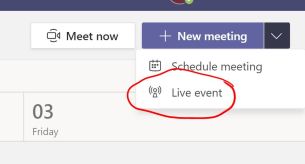
From the  calendar icon in Microsoft Teams, choose “Live Event” from the new meeting button.
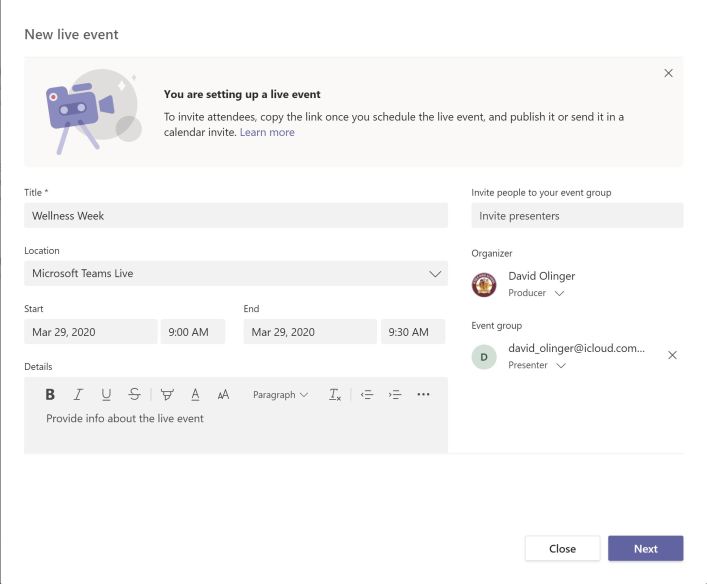
Give your event a name, date and time, and invite your presenters and producers. If they are outside users, you will have to invite them as guests. Click “next”:
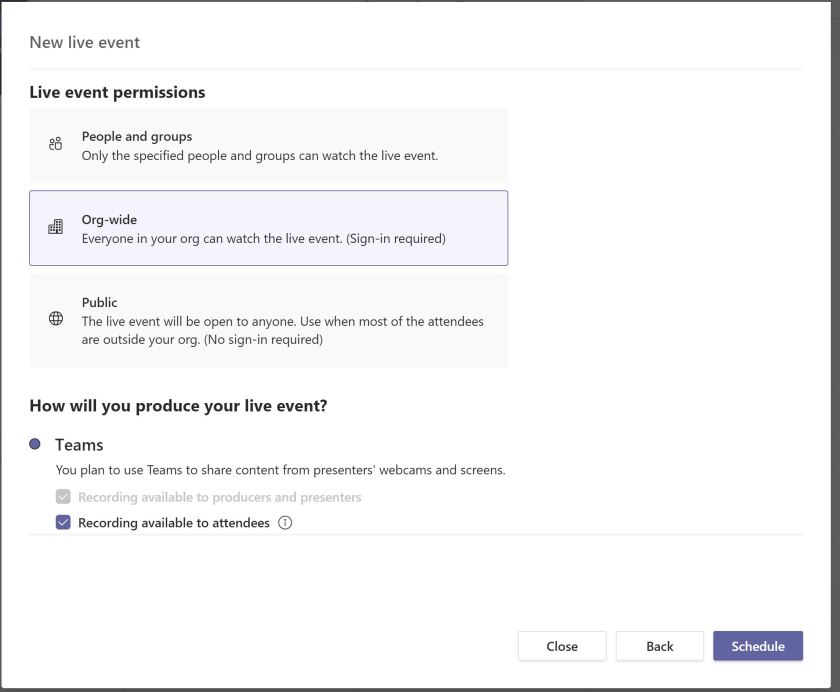
Decide on your audience. Is it for a group or class, for your organization, or for the public to view and engage in. If you make recording available to attendees, attendees can view the event even after it is over.
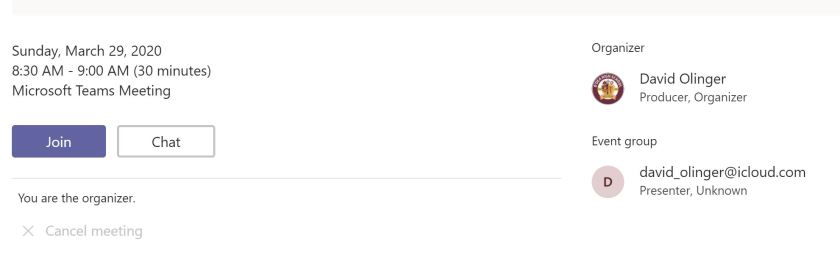
Share the attendee link with your audience. Once you schedule your event, you can click on the event in your calendar to get the attendee link. Copy that to your clipboard to share with your audience.

As producer, join a few minutes before the event to get prepared with your presenters to produce and begin the event.
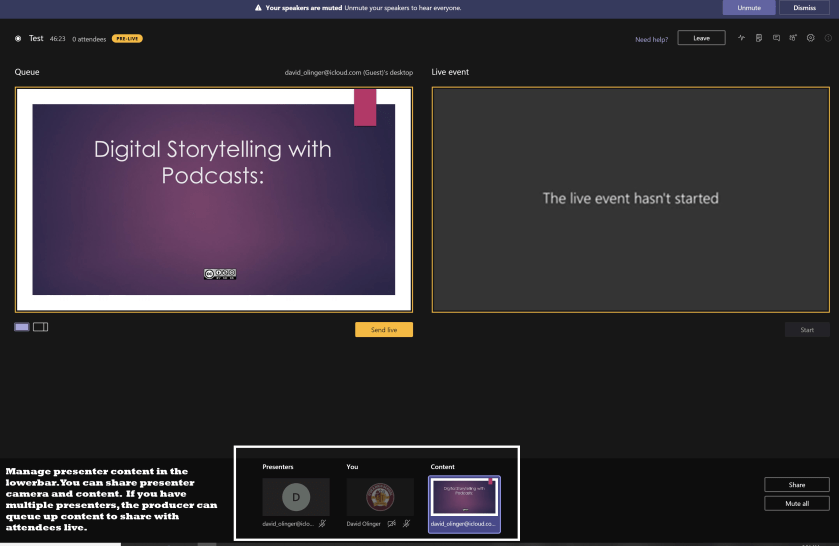
Produce and begin the event. Queue up the content and presenter screens you want to share with your audience. When ready, click “send live” and “start”. This will begin the live event. Don’t hit “stop” until the live event is over. Producers can Queue up content and presneter screen and hit “send live” when it is time to send to the live feed.
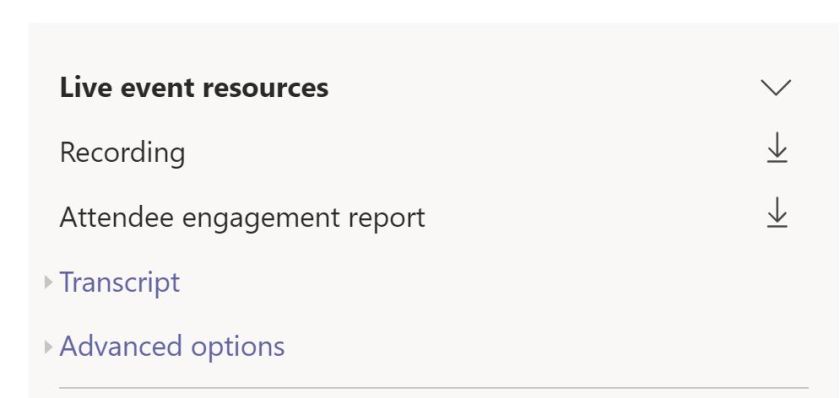
After the event, the producer can download engagement files and recordings of the event from the Live Event calendar in the event resources.
Bringing it all together
Don’t let social distancing cancel important community events and professional development. Use Microsoft Teams Live Events to bring your community together, offer professional development, engage the student body, and keep your school community healthy!

 Digital Classroom Transformation
Is this available for all schools? Mine tells me we don’t have a license for it?
LikeLike
A1 does not include Live events. You will need to check with Admin and see if they have turned it on.
LikeLike